Product personalization has become a major competitive advantage in WooCommerce. Customers increasingly expect products that reflect their preferences, identity, and specific needs.
With WCB Configurator Builder, you can easily create advanced product personalization experiences without complex development.
In this article, we will explore 7 creative ways to offer personalized products in WooCommerce, plus when personalization makes the most sense for your store.
When should you offer personalized products?
Before implementing customization, it’s important to understand when personalization delivers the highest impact. Personalized products work best when:
You sell visually customizable products
If customers care about how a product looks (colors, layout, text placement, or design), personalization is a natural fit. Examples include apparel, furniture, signage, prints, and promotional products.
Your products are made-to-order or configurable
If your production process already supports made-to-order items, personalization won’t disrupt fulfillment. WCB Configurator Builder is ideal for configuring products that change based on customer selections.
You want to increase average order value (AOV)
Customization encourages customers to spend more by adding premium options, upgrades, or unique features.
You compete in a crowded market
Personalized products help differentiate your WooCommerce store from competitors selling generic items.
You sell gifts or premium products
Gifts, luxury items, and branded merchandise benefit greatly from customization, emotional value, and exclusivity.
If these scenarios apply to your business, personalization isn’t optional; it’s a growth strategy!
7 product personalization types in WooCommerce
1. Custom text and name personalization
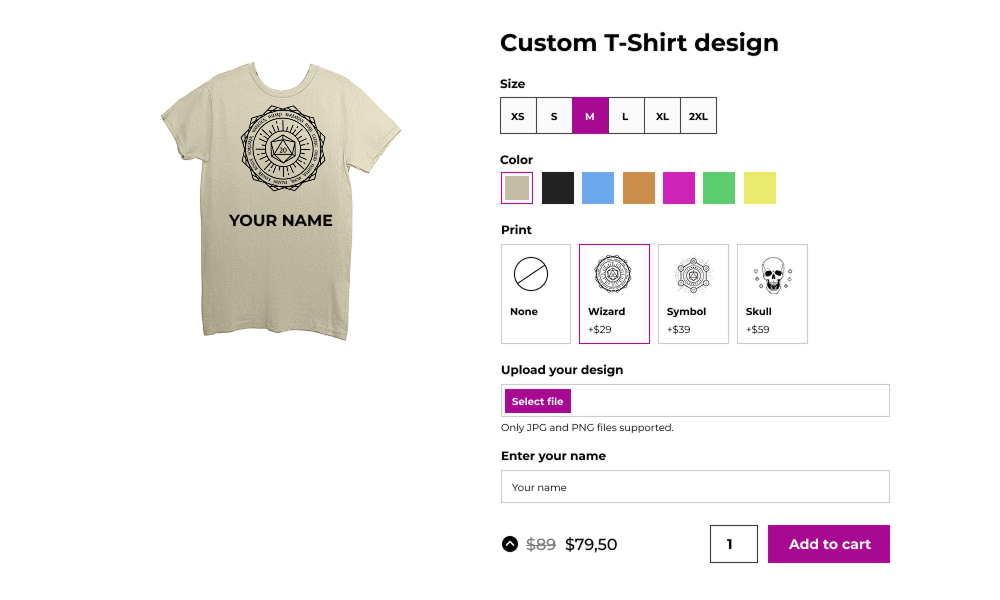
One of the simplest and most effective personalization strategies is allowing customers to add custom text, such as names, dates, or short messages.
In WooCommerce, this can be achieved using custom product fields where customers enter their desired text before checkout. This approach works especially well for gifts and special occasions like birthdays, weddings, and anniversaries.
Examples:
- Personalized mugs with names
- Engraved jewelry
- Custom phone cases with initials
2. Image upload personalization
Let customers upload their own images to create truly unique products. This method is popular for items such as photo books, custom t-shirts and hoodies, canvas prints and phone cases.
Image upload personalization increases emotional value and customer engagement. Shoppers feel more connected to products they help design themselves, leading to higher conversion rates.
To make this really effective, make sure to clearly specify image size and quality requirements. Also highlight privacy and security for uploaded images to gain the trust of your customers. Finally, make sure to show real time previews when possible to offer a seamless customization process.
3. Product customization with visual preview
Interactive product customization tools allow customers to design products in real time while seeing a live preview of the final result.
Customers can choose colors and fonts, add text or icons, and position elements visually so they can see exactly how the product will look before purchasing.
Visual previews reduce uncertainty, lower return rates, and increase buyer confidence, making them a powerful personalization strategy for WooCommerce stores.
Examples:
- Custom apparel
- Business cards and stationery
- Promotional products
- Home decor items
4. Personalized product bundles

Instead of selling individual items, offer customizable product bundles where customers build their own sets. By letting customers choose what goes into their bundle, you provide personalization while increasing average order value.
Examples:
- Skincare routines based on skin type
- Gift boxes with selectable items
- Fitness kits customized by goals
5. Custom packaging and gift messages
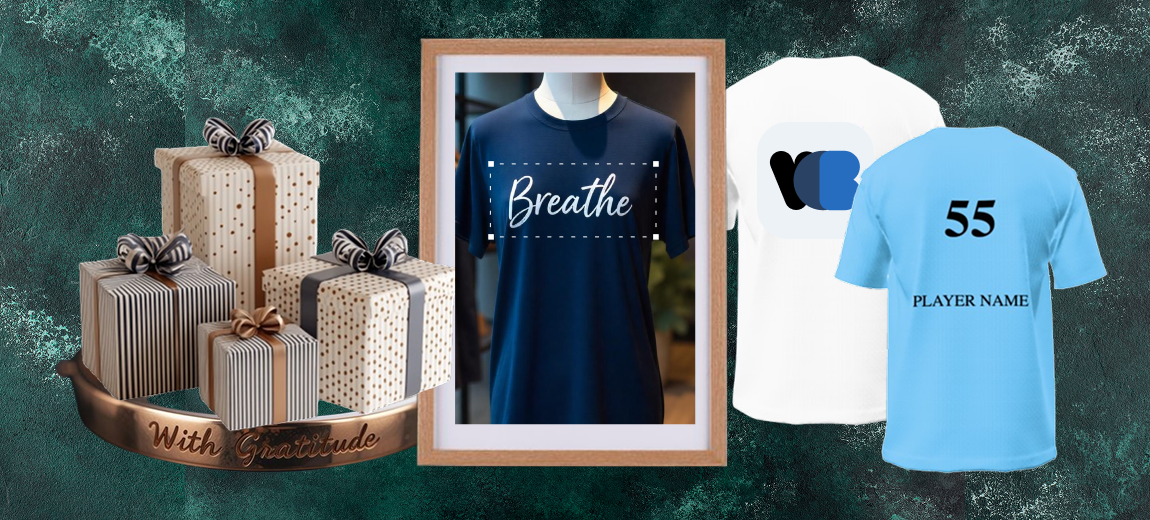
Product personalization doesn’t stop at the product itself. Offering custom packaging options adds significant perceived value.
You can allow customers to add gift messages, choose gift wrapping styles, select premium or eco-friendly packaging or include handwritten notes.
This approach is especially effective for holiday seasons, corporate gifting, and luxury products. It also creates opportunities for upsells at checkout.
6. Limited edition and made-to-order products
Scarcity and exclusivity drive demand. Offering made-to-order or limited-edition personalized products creates urgency and uniqueness.
Made-to-order products also help reduce inventory costs while positioning your brand as premium and customer-focused.
Examples:
- Custom artwork created per order
- Personalized fashion items produced on demand
- Limited runs with custom details
- Seasonal personalized collections
7. Personalization based on customer data
Take personalization to the next level by using customer behavior and purchase history.
Ideas include:
- Recommending products based on previous purchases
- Offering custom sizes or refills automatically
- Displaying “Recommended for you” personalized sections
- Sending personalized product suggestions via email
This type of personalization doesn’t require customer input. It happens automatically in the background and creates a seamless shopping experience.
How to add personalized products in WooCommerce with WCB

Adding personalized products in WooCommerce becomes simple and scalable with WCB Configurator Builder.
Instead of relying on complex variations or custom code, you can create interactive product configurators that visually reflect customer choices.
Step 1: Install and activate WCB Configurator Builder plugin
Install WCB Configurator Builder on your WooCommerce store and activate it. The plugin integrates seamlessly with your existing products and checkout process.
Step 2: Create or select a WooCommerce Product
Choose an existing product or create a new WooCommerce product that you want to personalize. This product will serve as the base for customization.
Step 3: Build your product configurator
Using WCB Configurator Builder, define personalization options such as:
- Colors and materials
- Sizes and dimensions
- Custom text fields
- Image or logo uploads
- Optional add-ons and upgrades
Each option can be visually represented within the product preview.
Step 4: Set pricing rules for personalization
With WCB Configurator Builder, you can assign pricing logic to each option:
- Additional cost for custom text or images
- Premium pricing for materials or finishes
- Discounts or bundles for selected combinations
This allows you to monetize personalization effectively.
Step 5: Enable real-time visual previews
Connect customization options to product visuals so customers instantly see how their selections affect the final product. This real-time feedback increases buyer confidence and reduces errors.
Step 6: Test and publish the personalized product
Before going live, test the configurator to ensure all options display correctly and pricing updates dynamically. Once confirmed, publish the product and start selling personalized items.
Why use WCB Configurator Builder for personalized products?
WCB Configurator Builder is designed specifically for WooCommerce stores that want advanced product customization without custom development.
Key advantages include:
- Real-time visual previews
- Flexible pricing rules
- Seamless WooCommerce integration
- Scalable product configuration
- Improved customer engagement
By combining WooCommerce with WCB Configurator Builder, you can deliver professional, high-converting personalized product experiences.
Final thoughts
Offering personalized products in WooCommerce is one of the most effective ways to differentiate your store and meet modern customer expectations.
Whether you start with simple name customization or advanced visual product builders, personalization can transform your WooCommerce store into a memorable shopping destination.
By implementing these 7 creative ways to offer personalized products in WooCommerce, you’ll not only enhance the customer experience but also unlock new growth opportunities for your online business.
FAQ
Can WCB Configurator Builder handle complex product configurations?
Yes. WCB Configurator Builder supports multi-step configurations, conditional logic, and unlimited customization combinations, making it ideal for complex and made-to-order products.
Does personalization slow down WooCommerce stores?
When implemented correctly, personalization can actually improve engagement. WCB Configurator Builder is optimized to deliver smooth real-time previews without negatively impacting store performance.
Are personalized products compatible with WooCommerce checkout and orders?
Yes. All customization details are stored with the order, ensuring accurate fulfillment and seamless WooCommerce order management.
Can I charge extra for personalized options?
Yes. WCB Configurator Builder allows flexible pricing rules, enabling you to add charges for text customization, image uploads, premium materials, or exclusive options.
How many options can I add for each choice?
Depends on your server speed, but we are confident the plugin handles up to 50 attribute options per choice (or more). There is practically no limit to the amount of options you can add.
Can customers see a preview of their uploaded image on the product?
Yes, if you use WCB visuals feature, you can overlay the uploaded image on the product mockup.
Can I add conditional logic to show or hide add-ons?
Yes. WCB Configurator Builder allows you to set conditions for each field with the conditional display add-on, so you can show or hide specific add-ons based on previous selections. This is helpful for creating dynamic forms and simplifying the customer experience.
Can I add text and images to the product image?
Absolutely! You can personalize the product image with text and images using the text visual controls. For image uploads you need our advanced fields add-on
Does it work on mobile devices?
Yes. WCB Configurator Builder is fully responsive, providing the same immersive experience on desktops, tablets, and smartphones.