Table prices are part of the advanced price calculation add-on
With table prices you can design tiered pricing structures, or collect custom price per option.

Documentation
Table prices are part of the advanced price calculation add-on
With table prices you can design tiered pricing structures, or collect custom price per option.
To create tables in WordPress, you have to install the TablePress plugin.
This is a free plugin which allows you to create tables in WordPress fast and efficient.
WCB has added support for this plugin so that you can create your tiered prices tables in there.
For price tables you can choose between two formats:
Range table
Range tables can be used to calculate price for numeric range.
This table contains 3 columns: from, till and price.
Example: 1, 10, 2.99
Matrix table
Matrix tables require two input values: horizontal axis and vertical axis.
This can be a numeric or option value.
Option values will be exact matches (Red collar, Blue collar, etc.)
Numeric values can be ranges. (10, 30, 90, 200).
With the setting round values up or down you can control whether to take the current or next table field price.
The plugin will locate the price value based on the cell values. So price for value “20” will be taken from column “30” by default. And from column “10” when rounding values down.
You can enable table prices for configuration options to update option price based on given product quantity.
Note: the range table format is required when linking table to single options.
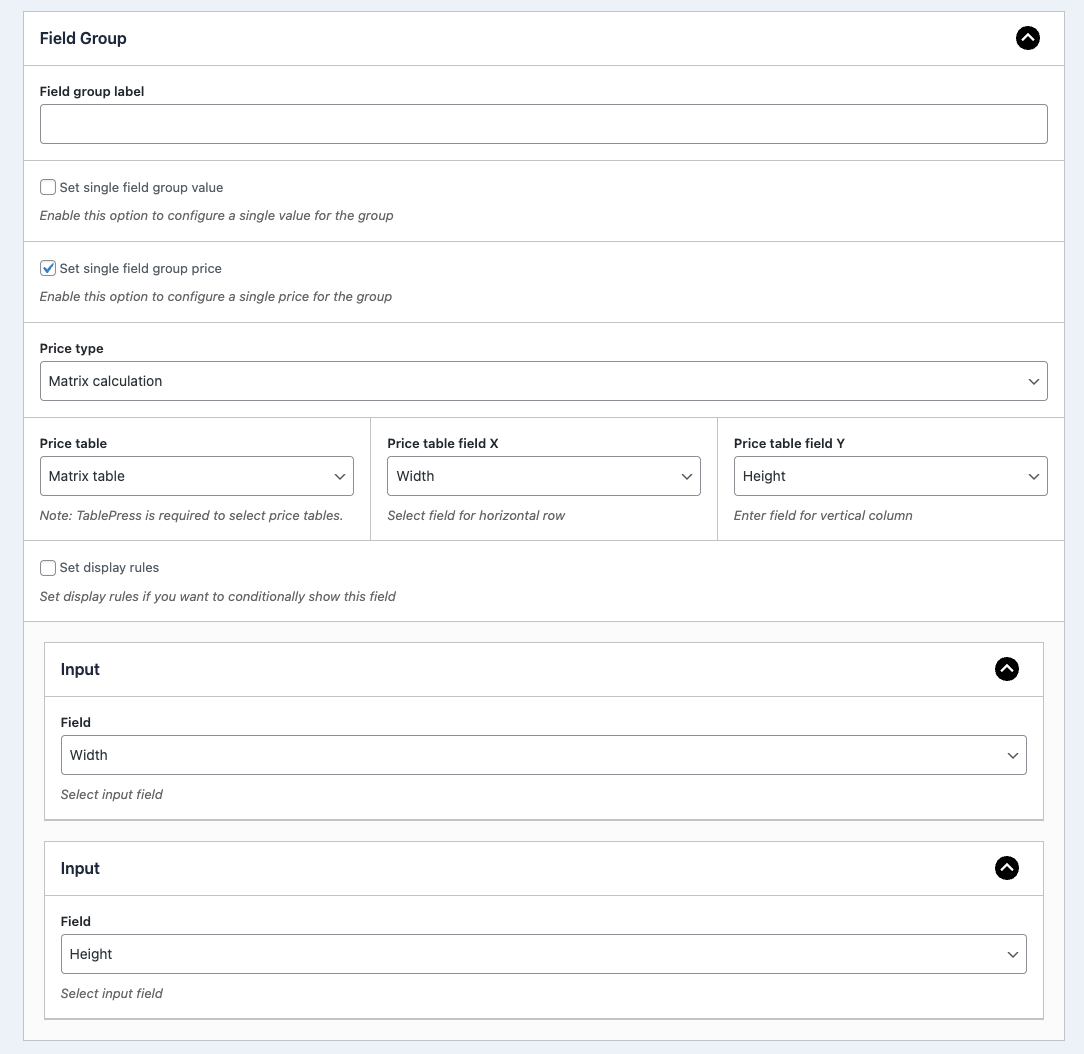
You can also link table price to a field group.
In this use case you can choose to link two fields and use the matrix table format.
Or you can use the range table format again and select first field value only.
Finally, you can use table for the configuration base price.
In this case the range table format is also required.