
Manage option and input SKUs
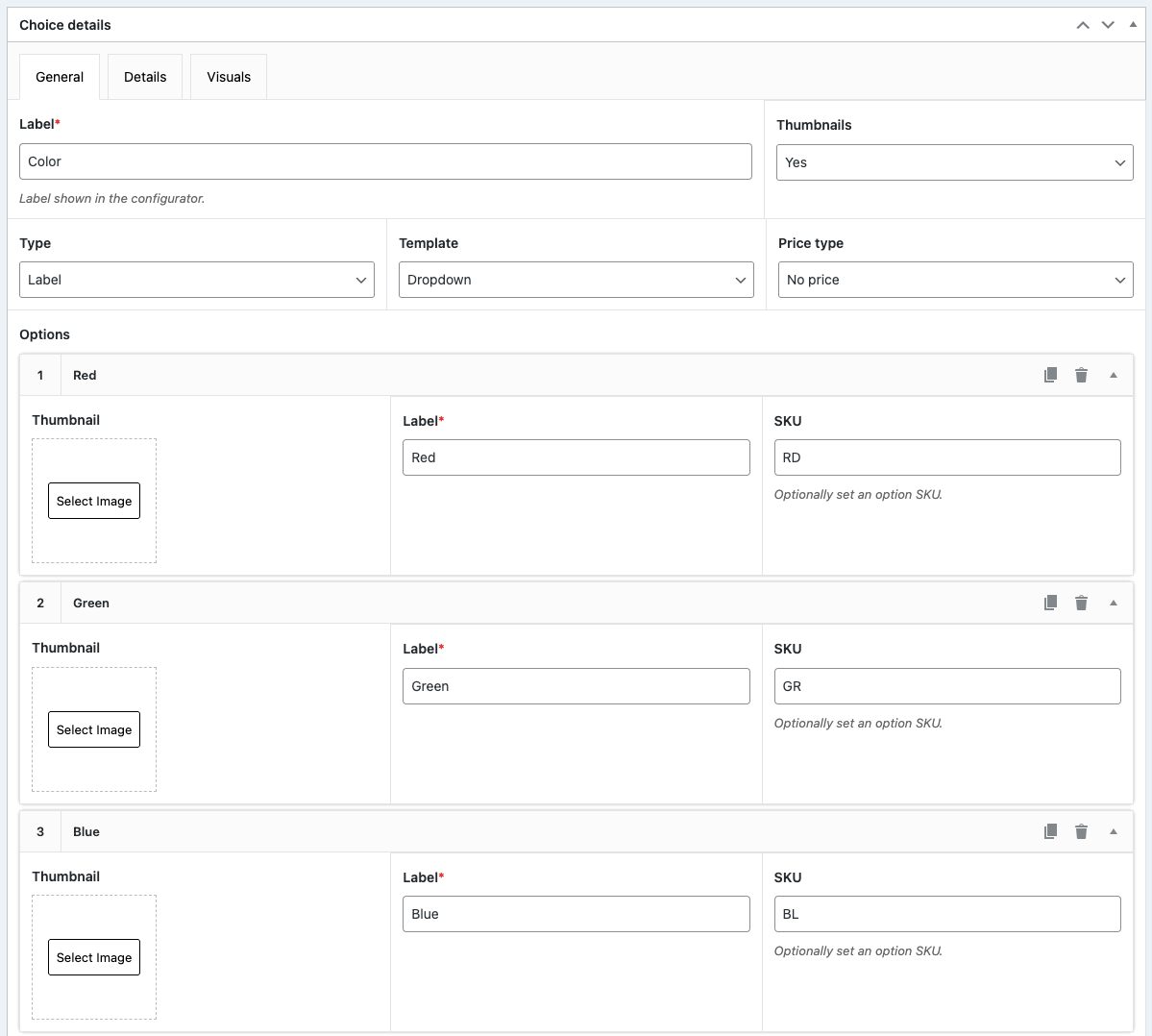
Manage SKUs for configuration options and user inputs. The SKUs can also be transferred over to PDFs, emails, cart items and your WooCommerce orders!

Manage option stock positions
You can also manage stock positions of individual configuration options.
When options are out of stock, you can either allow customers to purchase the option and show message that configuration is available on backorder, or block the option altogether.

Manage option weights
Manage individual option weights and make total configuration weight visible in configuration totals.
This feature can be very useful for products where product weight is an important decision factor.

Dynamically link options to WooCommerce products
This addon also enables you to link WooCommerce products, product variations and product bundles to your configuration options.
Linking WooCommerce product options to your configuration options allow you to:
- Show product upsells
- Show product cross sells
- Allow customer to design their own product sets and bundles
This feature is crucial when you want to incorporate composite products on your site.

Allow variation product selections
This add-on also supports variation products to be linked to product options.
Customers can select their specific product variation inside the configuration form and the product card details will be updated automatically. Upon variation selection, the stock, price and image will be updated.
All available variations can be selected using the provided dropdown values.

Dynamic configuration SKUs
Finally, this add-on allows you to generate custom SKUs for the configuration product based on the SKU’s of individual options.
This can be useful if you want to link your configuration orders to a fulfillment system

Choose the plan that fits you best
Inventory management
- Install on 1 site
- 12 month updates and support
- 14-day moneyback guarantee
Best value
Pro Bundle
$349 $149 /annual
$1049 $399 /once
- Get all our 8 add-ons for one price
- And any add-ons we make in the future
- Up to 25 sites license options
- 12 month updates and support
- 14-day moneyback guarantee
14-day no-risk money back guarantee
You are fully protected by our 100% money back guarantee. If you aren’t completely satisfied within 14 days of purchase, you’re more than welcome to a full refund!Installation guide

Purchase add-on
Use the purchase links on this page to get access to the add-on plugin files

Install and activate
Download the plugin files and upload as new plugin in your WordPress site. Note: make sure you have the free plugin installed as well.

Update configuration settings
Head over to WCB > Settings > Configuration and enable option SKUs, option weight and option stock positions

Update stock options
Head over to WCB > Stock options and configure the stock options

Review checkout settings
Head over to WCB > Checkout and review the checkout SKU option settings

Edit configuration options
Head over to WCB > Choices and update the stock, weight and sku values for the options accordingly

Link product options
Optionally change choices to product options by switching the Choice type to “WooCommerce Product” and template to “product”

Test and publish
Test the updated configurations. If everything is working as expected, you can publish your updated configuration form.
FAQ
Can I get a refund after purchase?
Yes, we offer a 14-day money-back guarantee if you are not happy with your purchase. Also check out our refund policy
Does the PRO version still work if I cancel my plan?
No, you will be downgraded to the free version.
Do you offer lifetime licenses?
Yes, we also offer lifetime licenses. Simply click the button “lifetime” or check the box “Pay once” in the checkout popup to purchase a lifetime license.
Where can I find my account payment details?
Upon purchase an account will be created for you if you don’t have any yet. You can then log in to your account section with the provided username and password to manage subscription and billing.