

What is a WordPress product configurator?
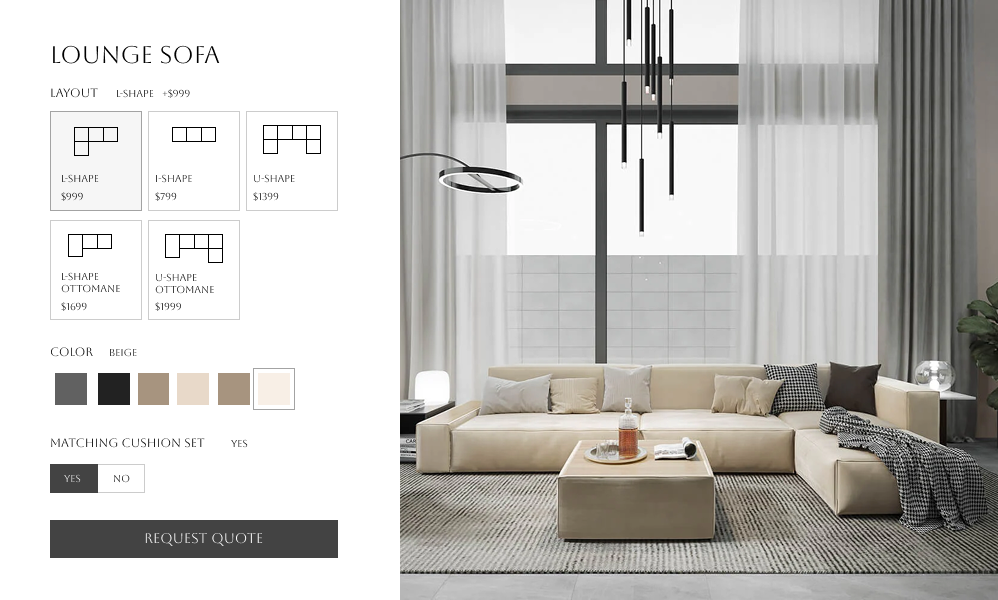
A WordPress product configurator is a tool that enables your customers to design and personalize products directly on your website.
By offering a simple, intuitive interface, a product configurator allows users to choose from different options like colors, sizes, features, materials, and more.
This customization feature provides a better shopping experience, ultimately leading to higher engagement and conversions.
Key features of a WordPress product configurator


WooCommerce professionals use WCB to save a lot of time

“Perfect templates, great features, fast and very powerful for a Woocommerce site”

Unlock the full power with WCB pro
Experience the full power of the WCB configurator builder plugin. Create multi step forms, apply conditional logic, and more
Why should you use a WordPress product configurator?


Recommended add-ons



Add a product configurator to your WordPress website
Install the WCB configurator plugin
Once you’ve downloaded the WCB configurator plugin, install it on your WordPress website. The plugin offers a four step setup process, making it easy to configure the options and visual displays.
Configure your product
Customize the configurator settings according to your product offerings. Upload images, add product customization options, and add prices for the options your customers can select. Make sure all options are functioning correctly, and that the pricing and customization features work as expected.
Launch and promote
Once everything is set up, it’s time to promote your newly customized product offering. Highlight the configurator’s features on your product pages, and use marketing strategies like email newsletters and social media to inform customers about the new personalized shopping experience.
FAQ
Where can I download the plugin?
You can download the plugin on our WordPress.org plugin page.
Will the plugin work with my theme?
The plugin is optimized to work with all well-coded themes and page builders.
Can I use WCB without WooCommerce?
Yes! WCB works fully standalone on WordPress.
How many options can I add for each choice?
Depends on your server speed, but we are confident the plugin handles up to 50 attribute options per choice (or more). There is practically no limit to the amount of options you can add.
Can I set minimum/maximum item selections?
Yes. You can control how many options users must or can select per group with our advanced fields add-on
Can I add text and images to the product image?
Absolutely! You can personalize the product image with text and images using the text visual controls. For image uploads you need our advanced fields add-on
Can I embed multiple configurators on one page?
No, we only support one configuration form per page. But we are looking to add support for this in the near future.
Will the quote include the selected configuration details?
Yes. When customers submit a quote, WCB includes all product selections, input values, and calculated totals in the submission.
Is a 3D configurator better than 2D?
For complex, customizable products: yes, 3D offers more realism and a better shopping experience. But for simpler items, 2D can be more efficient and cost-effective.

WP Configurator Builder also works with WooCommerce
If you’re using WooCommerce for your WordPress site, integrating a product configurator is a game-changer.
WooCommerce is one of the most popular eCommerce platforms, and when combined with a product configurator, it can deliver even more value.
For WooCommerce