Overview
The download PDF file allows you to generate a PDF file based on the current configuration
Note: this feature is part of the form actions add-on

Documentation
The download PDF file allows you to generate a PDF file based on the current configuration
Note: this feature is part of the form actions add-on
To use the download PDF as the form action, head over to your configuration form and open up the Actions tab
Next, select ‘Download PDF’ as configurator button action and save the form.
You can optionally capture the user email address by showing email address field and notify the website admin that a new configuration PDF has been downloaded.
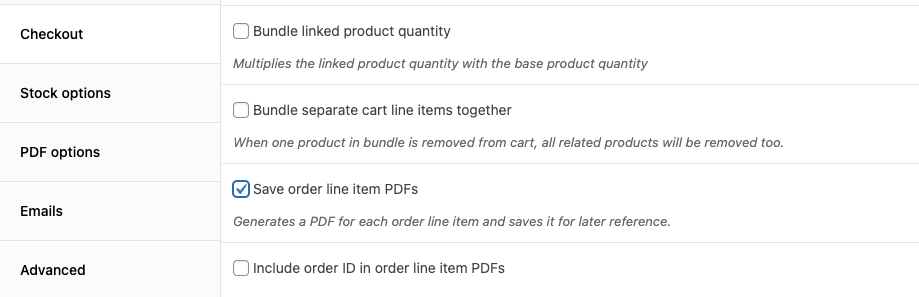
If you have WooCommerce installed, you can automatically generate PDFs for each order line item.
To enable this feature, head over to WCB > Settings > Checkout and check the option “Save order line item PDFs”