
What is the request a quote feature?
The request a quote feature allows customers to ask for a customized price, because not every product has a fixed price. Certain industries, such as custom manufacturing, wholesale, or services, often involve products or services that require personalized pricing based on customer specifications, quantities, or other variables. Offering a request a quote feature is a game-changer for these industries.

Ask for customized pricing based on
Customization
Pricing for custom designs, personalized products, bespoke services, discounts for bulk orders or specific pricing for large quantities.
Shipping/location
Shipping rates and delivery fees based on the customer’s location, especially for oversized or international shipments.
Special requirements
Any specific conditions or configurations the customer may need (e.g., color options, special materials, etc.).
Types of quote requests in WP Configurator Builder


Why use the request a quote feature?
For businesses offering custom products or services, a fixed price on every product may not be appropriate.
With a request a quote feature, you can set a base price for products but allow flexibility in pricing based on the customer’s specific needs. This is ideal for:
- Wholesale buyers looking for bulk discounts.
- Custom product orders (e.g., personalized gifts or made-to-order items).
- Services or consultations that require pricing based on specific client needs.
Request a quote feature benefits
A request a quote feature opens up a conversation between you and the customer. It provides an opportunity to discuss their requirements, clarify details, and possibly offer better terms or deals that are not available through standard product pricing. This interaction can build trust and help convert interested visitors into paying customers.


How to set up the request a quote feature in WCB
Install and configure the plugin
Once you’ve downloaded the WCB plugin for your store, install and activate it. Then, activate the request quote button in the configuration form. You can do this in WCB > Configurators > Actions > Configurator button action and set it to Request quote.
Install a form plugin
Pick any WordPress form plugin of your likings, install the plugin and create a new form.
Customize the request a quote form
If you need more specific information from customers (e.g., delivery location for shipping quotes or specific product customization requests), you can add custom fields to your quote request form. This ensures you have all the necessary details before creating a personalized quote.
Set email notifications
Ensure that both you (the store owner) and the customer receive email notifications when a quote request is submitted.
Link form to the configurator
Head back over to the WCB configurator. In the actions tab, enter the shortcode of your created form. This will display the form in the right location.
Test the feature
Before going live, test the request a quote feature to ensure everything works as expected. Check that the form is displaying correctly, email notifications are sent, and you can manage and respond to quote requests efficiently.
FAQ
Will the quote include the selected configuration details?
Yes. When customers submit a quote, WCB includes all product selections, input values, and calculated totals in the submission.
Can I show estimated pricing while still using the quote feature?
Yes. WCB Configurator Builder allows you to show estimated prices based on selected options, even when using the Request a Quote form instead of the checkout process.
Is this compatible with other WooCommerce quote plugins?
Yes. WCB integrates smoothly with plugins such as YITH Request a Quote or WooCommerce Request Quote. You can use WCB for visual configuration and hand off the submission to a more robust quote management tool.

WooCommerce request quote plugin support
If you are running a WooCommerce store, you can also use WooCommerce quote request plugins. Just set the main action of the plugin to “add to cart”. Then the quote plugin will change that into “add to quote”.
Supported quote plugins are:
- WooCommerce request quote by Addify
- YITH Request quote for WooCommerce
Read more
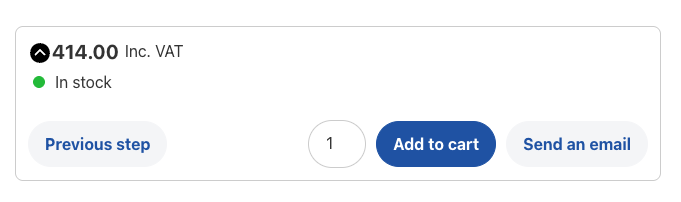
Pair request quote with add to cart
You don’t always have to choose between two worlds. With the WCB form actions add-on you can add a secondary button to your configurator forms. This allows you to let customers add configurations to cart directly, OR request for a quote.
View add-on